Messages: SMS & Text App
- 4.6
- Rating
- 100.00K
- Installs
- Free
- Price

 Analysis by App-foxy
Texting looks simple until a busy day fills up with delivery updates, family messages, appointment reminders, work questions, and conversations that need an answer later rather than right now. I tested Messages: SMS & Text App as a replacement for a basic Android messaging tool, and its appeal became clear in that everyday pressure: it tries to make ordinary SMS communication easier to sort, revisit, and protect from becoming one long, noisy inbox.
Developed by Ai Photo Labs, this free communication app is aimed at people who want a straightforward place for text messages without paying for the app itself. It is available for users aged Everyone, runs on Android 8.0 and later, and its current version is 2.7.0. The app has reached over 100 thousand installs, with an average score of 4.6 from more than 800 ratings. Those figures suggest that it has found a useful middle ground for people who want more organization than the default messaging experience often provides.
What I like most is that the app is not trying to turn SMS into a social network. Its job is narrower and, in my view, more practical: help me deal with short conversations, keep important exchanges recoverable, and reduce the effort involved in finding the message I need. That focus matters because better texting is not only about sending faster. It is also about deciding what deserves attention, what can wait, and which conversations should not disappear into a crowded list.
You May Also Like

 Blood Strike: 2.5 Anniversary
Blood Strike’s Loadouts Turn Every Drop Into a Tactical Gamble
A close look at Blood Strike’s custom loadouts: how fast access to signature weapons reshapes its battle royale rhythm, rewards preparation, and narrows the gap between fights.

 Pandora - Music & Podcasts
Pandora’s Music Is Easy to Start, but Harder to Recover
Pandora’s strength is its low-effort path from a seed to a station. Its weak spot is how much confidence it asks you to place in connection, setup, and quiet recovery.

 8 Ball Pool
 Is Built on Rivalries, Rematches, and Routine
A close look at the rivalries, rematches, shared routines, and unanswered safety questions that turn a quick pool match into a persistent mobile community.

 Samsung Music
’s Quiet Strength Is Playing What You Already Own
Its reach comes less from spectacle than from dependable access to a personal library. That simplicity is both the app’s strongest retention engine and its ceiling.

 AccuWeather: Weather Radar
AccuWeather Review: A Quick, Clear Forecast for Everyday Decisions
For everyday plans, the best forecast is the one you can understand quickly. AccuWeather makes rain timing, radar, and local conditions easy to act on, with a few trade-offs.

 Hill Climb Racing
Why Hill Climb Racing Still Turns Crashes Into One More Run
A tiny car, a bumpy hill and one more upgrade: Hill Climb Racing keeps resurfacing because its simple chaos makes every near-miss feel personal.
More From Our News Desk



How it fits into the way I communicate
I think of this app as a way to make SMS feel less like an endless queue and more like a set of conversations I can handle in my own order. Its filters are most useful when I decide what deserves attention before opening the inbox, rather than letting the newest notification choose for me. That shift also makes it easier to build a checking routine that suits the rest of my day.
A useful answer to an overloaded inbox
The communication need here is familiar. SMS remains useful when I am contacting someone who may not use the same chat platform, when a service sends a confirmation, or when a person wants a dependable channel that does not require learning another app. The problem is that a phone’s message list can quickly become a mixture of personal conversations and disposable information.
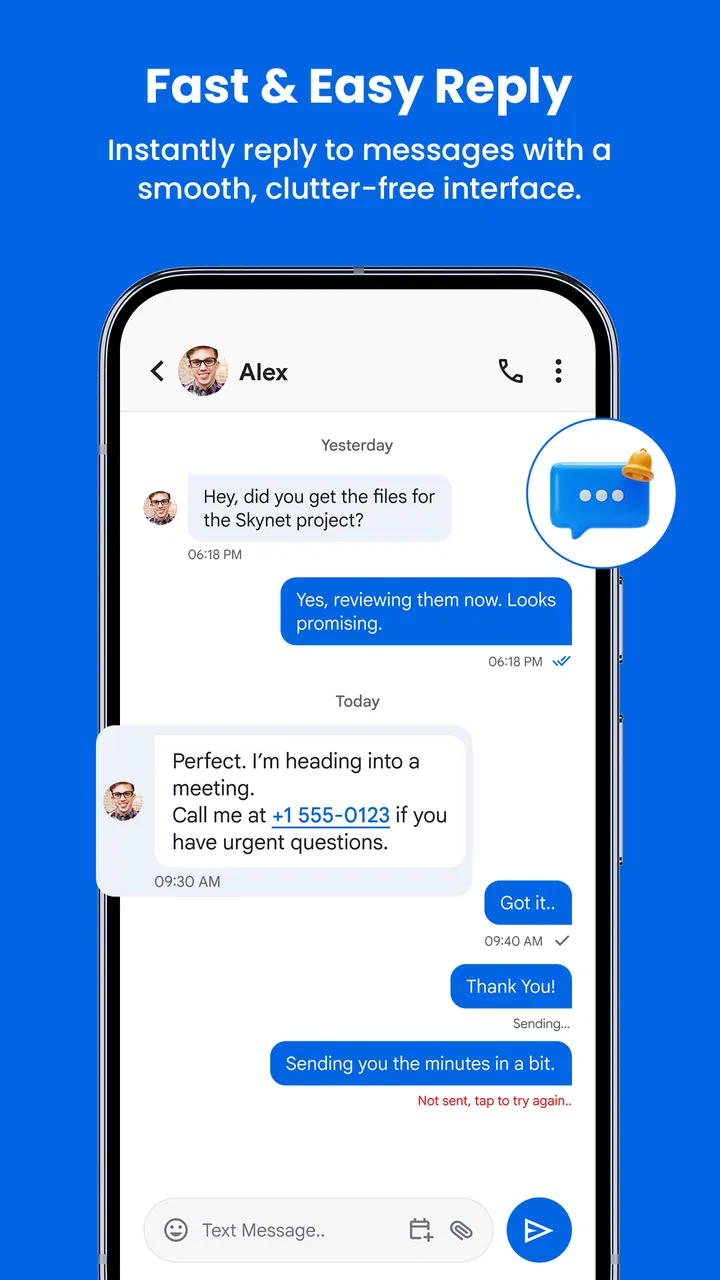
Messages: SMS & Text App approaches that problem with fast texting, backup, and smart filters. In practice, those three ideas work best together. Speed keeps a reply from feeling like a chore, backup makes older conversations less fragile, and filtering gives me a way to separate the messages that deserve a response from the ones I only need to glance at.
I found this especially useful for a phone shared between different parts of life. A message from a relative, a reminder from a business, and a quick note from a friend do not carry the same emotional weight, even though they may appear in the same chronological stream. A filtering system can create a calmer starting point, provided I still check the less prominent groups when necessary.
That last point is important. Filters should support attention, not replace judgment. A message that looks routine may become important later, and a personal message may not be urgent at all. I would use the app’s organization as a first pass rather than assuming that the most visible conversation is automatically the one that matters most.
Conversation flow feels better when retrieval is easy
The best messaging experience is not simply the one that opens quickly. It is the one that lets me return to a conversation without mentally reconstructing where it went. A clear list, quick access to recent exchanges, and sensible separation between message types make a difference when I am answering several people in short bursts.
For example, imagine I am leaving work and need to coordinate dinner. One person is asking what time I will arrive, another has sent a practical question, and there is also a service message waiting in the inbox. With a basic chronological list, I may open the wrong thread, lose track of the dinner plan, and postpone the practical reply. With smart filtering and a cleaner flow, I can deal with the human conversations first and return to the automated notice when I have a spare moment.
This is a small change, but small changes are where a messaging app earns its place. I do not want a complicated dashboard between me and a two-line reply. I want the app to remove friction while staying out of the way. That is where this product makes sense: it adds organization without changing the basic expectation that texting should be immediate and familiar.
There is also a useful distinction between reading and responding. A filtered inbox can help me identify what needs a reply, but it does not force me to answer everything as soon as it arrives. That separation gives conversations a more deliberate rhythm. I can read a message, decide that it is not urgent, and return later without treating every notification as an interruption that must be resolved immediately.
Backup changes the emotional cost of old conversations
Backup is easy to overlook until a phone is replaced, reset, or damaged. Text messages often contain details that are not valuable because they are sentimental; they are valuable because they are practical. An address, a timing agreement, a reference number, or a short explanation can save time when I need to check it again.
The presence of backup makes this app more suitable for users who treat SMS as a working record rather than a disposable stream. I would particularly consider it for someone who changes devices occasionally, relies on messages for appointments, or wants to preserve family conversations without manually copying them elsewhere.
My advice is to think about backup before you need it. Set aside a moment to understand how the app handles the process and where restored messages will appear. A backup feature is only genuinely helpful when it fits into a routine, so I would not wait until an urgent device problem to discover how it works.
At the same time, I would avoid treating backup as a substitute for thoughtful storage habits. Sensitive conversations deserve care, and keeping every message forever can create its own clutter. The useful approach is selective attention: preserve what helps you, review what no longer serves a purpose, and remember that a complete archive is not always a better archive.
Smart filters reduce noise, but they need a checking habit
The phrase “smart filters” sounds convenient, and it is, but the real benefit depends on how I use the categories. Filters are most valuable when they reduce repeated visual decisions. Instead of asking myself what every new thread is about, I can begin with the group that matches my immediate goal.
My practical workflow would be to check personal conversations first, scan filtered service or routine messages later, and use search or the conversation list when I need a specific detail. That rhythm keeps low-priority messages from competing with people who are waiting for a reply.
The trade-off is that filtering can make the inbox feel quieter than it really is. If I only look at the prominent area, I might miss a message that was classified as routine. I would therefore make a habit of checking all relevant sections once or twice during the day, especially when expecting a confirmation or a message from an unfamiliar number.
This is one of the app’s more interesting lessons: organization changes not only what I see, but when I see it. A traditional inbox encourages me to react to the newest item. A filtered inbox encourages me to choose a category and process it intentionally. That is a healthier pattern for people who feel pulled into their phone by every small update.
The attention cost of fast texting
Fast messaging is convenient, but speed can also create pressure. When sending a text takes almost no effort, I may send more messages than I actually need to send, or I may expect an answer simply because my own message arrived quickly. The app helps with the mechanics of texting, but I still have to decide what pace is respectful for both sides.
I found the strongest value in using speed for clarity rather than volume. A short message that confirms a plan, gives a precise time, or explains that I will respond later can prevent several follow-up texts. The app becomes more useful when it supports complete communication instead of encouraging a stream of fragments.
One simple habit is to pause before sending a second message. If the first one already contains the necessary information, another message may only add pressure. If something has changed, then the follow-up is justified. This sounds obvious, but a tidy interface makes it easier to notice whether I am communicating or merely reacting.
Notifications also deserve a deliberate approach. I would not allow every routine message to dictate my attention. The filtering system is more effective when paired with a personal rule: urgent conversations can interrupt me, while ordinary updates can wait for a scheduled check. That turns the app from a source of constant prompts into a tool I consult on my own terms.
For someone who wants a richer instant-messaging experience, this app may feel limited compared with services built around live presence, media sharing, reactions, group tools, or internet-based calling. That is not necessarily a weakness for an SMS-focused user, but it is a clear boundary. If most of your communication already happens in feature-heavy chat services, a dedicated SMS app may not become your main conversation space.
Boundaries are easier when the inbox is understandable
Good boundaries begin with knowing what deserves a response. When personal messages and automated notices sit together without distinction, the inbox can create a vague sense that everything is waiting for me. Smart filters help make the workload visible in a more honest way: some messages need conversation, some need a quick action, and some only need to be retained temporarily.
I would use this app for a “reply window” routine. During the day, I could check the personal area when I have enough time to answer properly, then review routine messages at a separate moment. This avoids the common habit of opening a message while distracted, intending to reply later, and forgetting the context completely.
There is a social benefit too. Clearer organization can reduce accidental neglect. If a friend’s message is buried beneath several automated notices, missing it may have nothing to do with how much I care. A better inbox does not make me more considerate by itself, but it removes one avoidable reason for delayed replies.
Still, I would not use any messaging app as a promise of instant availability. A cleaner conversation list can make me more efficient, but it should not make other people assume that I am always reachable. I would tell close contacts that a delayed answer means I am busy, not that I have ignored them. Technology can support that boundary, but the boundary still needs to be communicated directly.
Who will appreciate it most
This app is a strong fit for Android users who rely on SMS every day and feel that their current inbox is too mixed or difficult to manage. It should appeal to people who want a free option, prefer a focused communication tool, and value the reassurance of backup. It is also a sensible choice for anyone who receives a high number of routine texts and wants a clearer way to separate them from personal conversations.
I can see it working well for a parent coordinating several family members, a freelancer keeping client texts distinct from service notifications, or a person who uses SMS for appointments and practical arrangements. In each case, the gain is not flashy. It is the reduced mental effort of deciding what to open first and what can wait.
The Everyone age rating also makes the app broadly approachable for households, although each person should still decide how they want to handle private conversations and stored messages. The free price removes an obvious barrier for trying it, which is useful because messaging preferences are personal. An app that feels organized to me may feel unnecessary to someone whose inbox is already quiet.
Who should stay with another option
I would skip this app if your communication life is almost entirely based on internet chat platforms and you rarely send or receive standard SMS. In that situation, the features that matter most to you may be group collaboration, media tools, voice communication, or cross-platform conversation history rather than SMS organization.
I would also hesitate if you want an extremely minimal interface with no extra sorting layer. Some users prefer a single chronological list because it shows every message in one place and requires no decisions about categories. For them, smart filtering may feel like another place to check rather than a solution.
People who need a messaging system shared across several device ecosystems should also compare their priorities carefully. This is an Android app, with support beginning at Android 8.0, so it makes the most sense when Android is the center of your texting routine. If your main need is seamless movement between unrelated platforms, a different communication service may be more appropriate.
Finally, anyone handling especially sensitive information should take time to understand the app’s backup workflow and make careful choices about what they retain. Convenience is not the same as privacy, and keeping a message available can be helpful or undesirable depending on the situation.
My everyday verdict after using it
Messages: SMS & Text App is at its best when I stop judging it as a replacement for every chat service and use it for the narrower problem it addresses: making SMS conversations easier to process. Fast texting keeps the basic action simple, smart filters reduce inbox noise, and backup gives older messages more practical value.
The biggest improvement is not that I can send a text a little more quickly. It is that I can create a healthier communication rhythm. I can separate personal replies from routine updates, choose when to check low-priority messages, and return to useful conversations without treating every notification as an emergency.
There are reasonable trade-offs. Filtering requires a checking habit, backup deserves a little attention before it becomes necessary, and the app will not replace feature-rich internet messengers for users who need more than SMS. But those limitations are easy to understand, and they prevent the product from pretending to be something it is not.
My recommendation is straightforward: if your Android inbox feels crowded and you want a free, focused way to bring order to everyday texts, I think this app is worth trying. Its real strength is giving you more control over when a message gets your attention, not simply helping you send one faster. For a person who wants clearer conversations, fewer interruptions, and a more deliberate reply routine, that is a meaningful upgrade.
After using Messages: SMS & Text App, I would keep it installed for practical SMS communication rather than for entertainment or constant social interaction. It works best as a quiet organizer in the background: present when I need a dependable text, helpful when the inbox becomes noisy, and unobtrusive when I have decided that the rest of the day belongs to something else.
FAQs for Messages: SMS & Text App
01What is Messages: SMS & Text App used for?
Messages: SMS & Text App is designed for sending and receiving traditional SMS and MMS messages on Android devices. After setting it as the default messaging app, you can manage conversations, reply to contacts, send photos or other media, and organize your inbox from one interface. Its available features may vary depending on your phone, carrier, Android version, and regional support.
02Does Messages: SMS & Text App require an internet connection?
An internet connection is generally not required for standard SMS messages because they are sent through your mobile carrier’s network. MMS messages, such as picture or group messages, may require mobile data or specific carrier settings. If the app includes optional online features, advertisements, backups, or cloud services, those functions can require Wi-Fi or mobile data and may involve additional privacy considerations.
03Can I use Messages: SMS & Text App as my default messaging application?
Yes, the app is intended to work as a primary SMS and MMS client when your device allows third-party messaging applications. During setup, Android may ask you to make it the default app so it can send, receive, and display messages correctly. Before switching, review the permissions and remember that only one application can normally manage incoming SMS notifications at a time.
04Is Messages: SMS & Text App free to download and use?
The application may be available to download without an upfront charge, but the exact business model depends on the version listed in the Google Play Store or App Store. Some editions can include advertising, optional purchases, or premium features. Carrier charges for SMS and MMS are separate from the app, so check your mobile plan before sending large numbers of messages or multimedia content.
05What permissions and privacy issues should I consider before installing it?
A messaging application commonly requests access to SMS, contacts, notifications, phone functions, and sometimes storage or media, because these permissions support its main features. You should read the store’s privacy section and the app’s permission prompts before granting access. Avoid enabling permissions that seem unrelated to messaging, and review notification, backup, and data-sharing settings after installation.
Pros
- Clean interface makes conversations easy to find and manage.
- Supports scheduled messages for sending texts at a later time.
- Spam filtering can help reduce unwanted and suspicious messages.
- Message search makes it easier to locate older conversations.
- Offers useful customization options for chat appearance and notifications.
Cons
- Some features may require a subscription or in-app purchases.
- Advanced tools can vary depending on the Android device and carrier.
- The app may request extensive permissions to handle SMS functions.
- Ads may appear in the free version and affect the messaging experience.
- Switching default SMS apps can require extra setup and permission changes.

Messages: SMS & Text App
Gallery